
Amazon's SideWalk will share your internet with your neighbors without your consent by default

Eric

Mama's lil stinker
Joined
Aug 10, 2020
Posts
15,553
Solutions
18
Main Camera
Sony
Amazon is making this bold move and opting you in automatically.
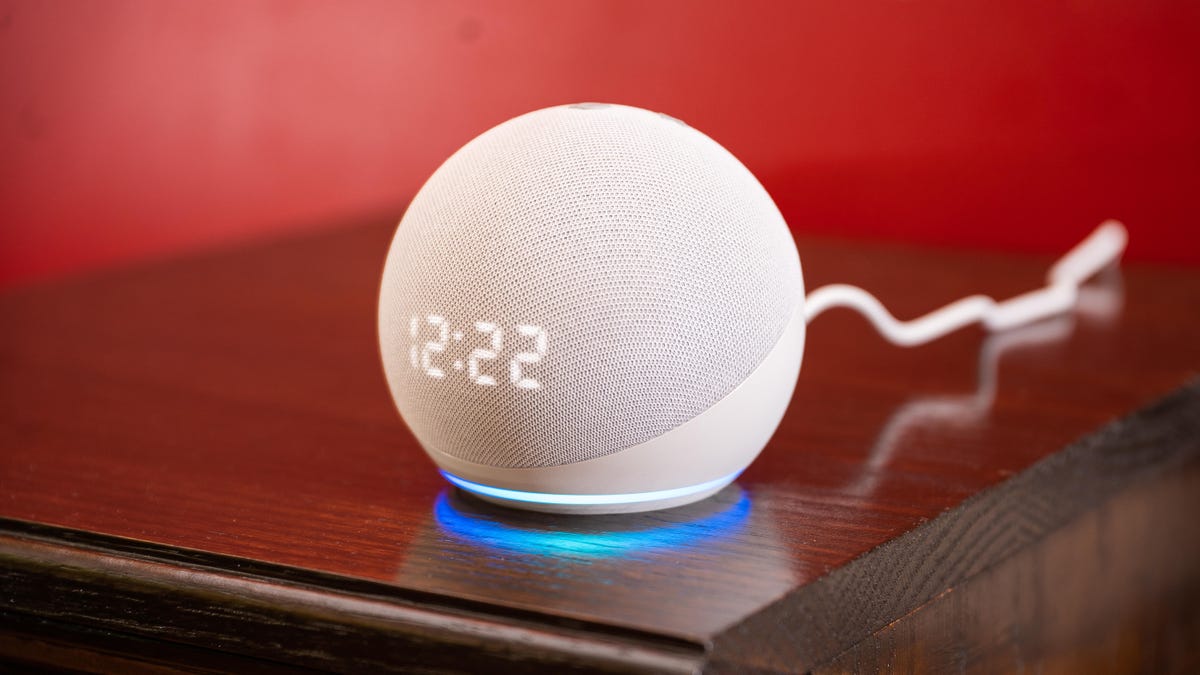
Amazon will be launching the Amazon Sidewalk service on Tuesday that automatically opts-in your Echo and Ring devices into a new feature that shares your Internet with your neighbors. Here's more about this new feature and how to opt-out of sharing your bandwidth with other Amazon devices.


How to opt-out and disable Amazon Sidewalk​

From Bleepingcomputer
If you do not want your devices to be part of Amazon Sidewalk, you can disable the service at any time.

For Amazon Echo devices, you can disable Amazon Sidewalk by following these steps:
  1. Open your Amazon Alexa App.
  2. Select the More option in the bottom right-hand corner of your screen.
  3. Go to Settings > Account Settings > Amazon Sidewalk.
  4. Set the Amazon Sidewalk toggle to disabled.
  5. Close the Amazon Alexa app.
For Ring devices, you can disable Amazon Sidewalk by following these steps:
  1. Open the Ring app.
  2. Tap the three-lined icon to open the menu and go to Control Center > Amazon Sidewalk.
  3. Set the Amazon Sidewalk toggle to disabled.
  4. Close the app.
Once you disable Amazon Sidewalk, Amazon will not enable it again without your permission.
 
"Quit using my bandwidth!"

"...no, comrade, it's OUR bandwidth!"
 
I feel like I wasted the Jeff Bridges gif in the WWDC thread. This was perfect for it.
 
I feel like I wasted the Jeff Bridges gif in the WWDC thread. This was perfect for it.

You can use it here too. There's no rule stating you're only allowed one Jeff Bridges reaction gif per day.
 
Screw Amazon devices. I refuse to own any of them specifically because of this kind of crap. How many times have there been security issues with Ring? And now this dumb shit.
 
Yes, an article about this was in today's Washington Post and I thought, whew, thankfully I don't have any Alexa, Ring or Echo devices in my home, nor do I ever intend to do so. I am surprised that Amazon would be allowed to get away with this.
 
Amazon is making this bold move and opting you in automatically.


How to opt-out and disable Amazon Sidewalk​

From Bleepingcomputer
If you do not want your devices to be part of Amazon Sidewalk, you can disable the service at any time.

For Amazon Echo devices, you can disable Amazon Sidewalk by following these steps:
  1. Open your Amazon Alexa App.
  2. Select the More option in the bottom right-hand corner of your screen.
  3. Go to Settings > Account Settings > Amazon Sidewalk.
  4. Set the Amazon Sidewalk toggle to disabled.
  5. Close the Amazon Alexa app.
For Ring devices, you can disable Amazon Sidewalk by following these steps:
  1. Open the Ring app.
  2. Tap the three-lined icon to open the menu and go to Control Center > Amazon Sidewalk.
  3. Set the Amazon Sidewalk toggle to disabled.
  4. Close the app.
Once you disable Amazon Sidewalk, Amazon will not enable it again without your permission.

Grumpy old man’s way to opt-out and disable Amazon Sidewalk​

1. Throw away all Amazon devices.
 
I have an amazon alexa but its no longer connected to my wifi - I just use it as a bluetooth speaker for my Peloton.
 
I have plenty of Echos of various models.

Very convenient, but I wouldn’t trust them even as far as I can throw them. The cameras have been physically obstructed where applicable, settings locked down, and I have graciously given them their very own wi-fi.
 
I have plenty of Echos of various models.

Very convenient, but I wouldn’t trust them even as far as I can throw them. The cameras have been physically obstructed where applicable, settings locked down, and I have graciously given them their very own wi-fi.
We only have listening devices and they're all over the house so we use them pretty heavily, mostly for smart home and music purposes. I also opt out of all the other crap but am mindful that it could be triggered by keywords, etc. On the flip side I just have nothing interesting to say when I'm at home but if thing sitting in is a good use of their time then more power to them, I really couldn't give a rats ass.

However, cameras are a different story, we have Nest and only use them outdoors, there's one inside on the Hub but it has a physical close button and that's always shut.
 
There are some saying that it re-enabled itself so it's probably a good idea to keep checking back.
I just double checked on my two devices ( two different accounts ), and fortunately the option has remained 'disabled'.
 
Back
Top