Zooming while filming video on the iPhone?

Eric

Mama's lil stinker
Top Poster Of Month
Joined
Aug 10, 2020
Posts
15,630
Solutions
18
Main Camera
Sony
I'm having a hard time finding anything concrete on this, it doesn't seem like too complicated of a request. The goal is to simply start recording and then zoom from one end to the other all the way in to all the way out, even including digital but cannot find anything on either a technique or a third party app, though this seems like it would be fairly easy for a developer to create.

I know you can pinch and zoom, you can also hold for the wheel then roll it from side to side but you have to pull your finger off and move it to continue the scroll so it's choppy, the goal is a single shot smoothly scrolling all the way.
 
Wish I had time to write you the app. Would be nice if such app let you set the two zoom extremes, and the time intervals in each direction.
 
I'm having a hard time finding anything concrete on this, it doesn't seem like too complicated of a request. The goal is to simply start recording and then zoom from one end to the other all the way in to all the way out, even including digital but cannot find anything on either a technique or a third party app, though this seems like it would be fairly easy for a developer to create.

I know you can pinch and zoom, you can also hold for the wheel then roll it from side to side but you have to pull your finger off and move it to continue the scroll so it's choppy, the goal is a single shot smoothly scrolling all the way.
This is a great idea. IDK why Apple hasn't already done it.
 
This is a great idea. IDK why Apple hasn't already done it.
Or a third party developer for that matter, at least from what I can find.
 
How about being able to record synchronized parallel tracks on both lenses with a framing guide (like a green box) for the telephoto alignment. Then you could render an interpolated zoom in post (perhaps with a zoom curve editor), and it would look just as good as a live zoom.
 
How about being able to record synchronized parallel tracks on both lenses with a framing guide (like a green box) for the telephoto alignment. Then you could render an interpolated zoom in post (perhaps with a zoom curve editor), and it would look just as good as a live zoom.
It would need it too, as it is I ran a test today (iPhone 17 Pro Max) and I can sort of get it smooth but it's automatically pausing briefly as it switches between all 3 cameras.
 
it's automatically pausing briefly as it switches between all 3 cameras

Then perhaps it lacks the bandwidth to read more than one CCD at a time. There can be a lot of correction going on in video recording: my friend was recording fall colors as we drove I94 through Minnesota a few years ago, and the passing image was rock steady as you could see the car bouncing up and down. I suppose this also means the sensor has excess margin top and bottom.
 
Here's my first attempt at it manually, it has to switch between cameras as it goes but it's pretty smooth overall once you get the hang of it. I just manually swiped through the entire thing in a single shot trying to go as steady as possible while on a tripod.


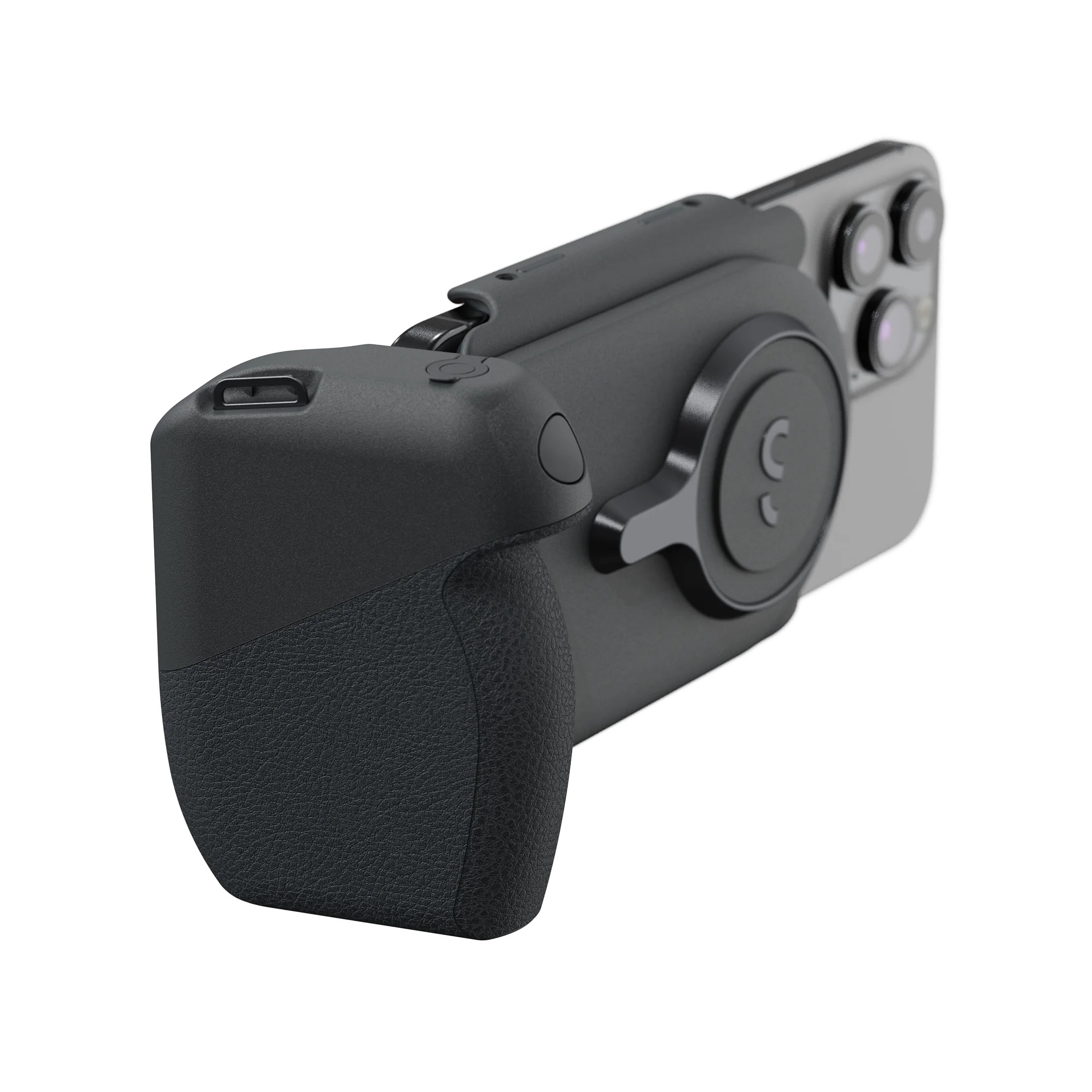
Not sure that someone could ever make an external product to have control over the zooming and a half-press shutter button, however, I wonder if a product similar to this one could be developed.
 

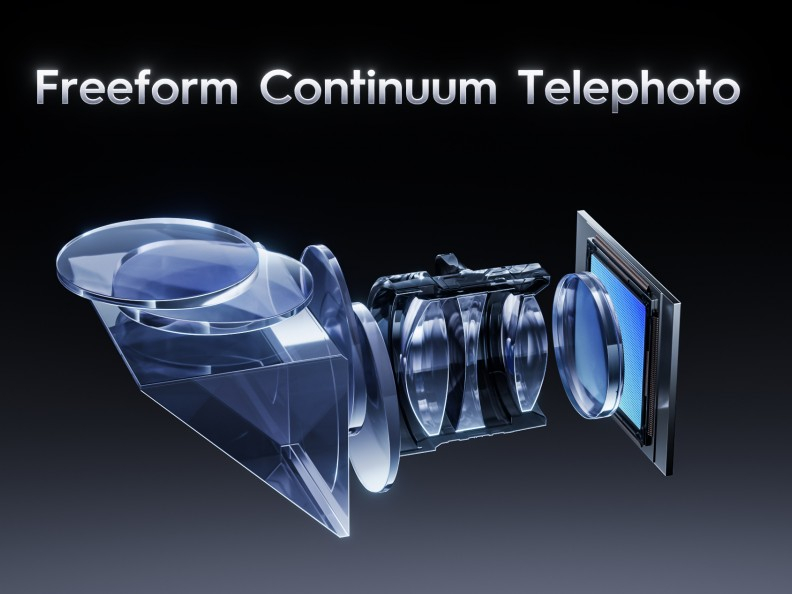
It’s been too long since I studied optics to judge whether this is legitimate, but given that it promises continuous optical zoom without camera switching I thought it might interest people in this thread.
 
Wish I had time to write you the app. Would be nice if such app let you set the two zoom extremes, and the time intervals in each direction.
Still waiting for something like this and can't seem to find anything. IMO it would be a great app, just the ability to scroll from both ends and set the amount of time it zooms for, say 10 seconds for something faster or 30 seconds for something slower, etc.
 
You'll have to forgive the crude interface but it's a start, using ChatGPT for the assist with Xcode. It's a cumbersome process but I'm getting there.

IMG_1527.PNG
 
To some degree it can be pretty smooth with the camera control button sliding feature.
I also have a vague memory that filmic pro allowed this at some point
 
To some degree it can be pretty smooth with the camera control button sliding feature.
I also have a vague memory that filmic pro allowed this at some point
As one who has used this a lot I can say that it's hardly smooth, even when the phone is on a tripod as there is too much movement introduced by the action of sliding, especially at the long end.
 
As one who has used this a lot I can say that it's hardly smooth, even when the phone is on a tripod as there is too much movement introduced by the action of sliding, especially at the long end.
Fair play. It was reasonably smooth for the handheld shots I’ve used it with but it is also fairly limited
 
Fair play. It was reasonably smooth for the handheld shots I’ve used it with but it is also fairly limited
Right, it's actually really cool and if you just wanted to do a quick zoom where you don't mind it being a little jerky on the long end then it's fine. I just want really smooth controlled shots.
 
Submitted to TestFlight anyone wants to help me test, it actually has quite a bit of functionality. Moved to Claude.ai which seems more suited for this type of thing.

Here's a summary of everything we built into MagicZoom.

Core Features
  • Automatic cinematic zoom ramp from a set start zoom to end zoom over a chosen duration
  • Cubic ease-in-out motion for smooth, natural acceleration and deceleration
  • 3-second countdown with haptic feedback before recording begins, giving the lens time to settle
  • Adjustable start zoom, end zoom, and duration sliders (1s to 90s)
  • Records video and saves directly to the Photos library
UI
  • Full screen live camera preview
  • Live zoom level badge (top left)
  • Countdown badge during the 3-2-1 countdown
  • Remaining time badge during recording
  • Progress bar showing zoom ramp progress with a green to red gradient
  • Sliders lock during recording to prevent accidental changes
  • Button cycles through Start Zoom Ramp → Cancel → Stop Recording
Extras
  • Haptic feedback on start (heavy), stop (light), and natural completion (success)
  • Settings persist between sessions (start zoom, end zoom, duration)
  • Focus and exposure lock at the start of each shot
  • Falls back to wide angle camera on non-Pro iPhones
  • Countdown gives the lens time to travel to the start position before recording begins


6248B705-5E42-448E-BE23-FD7DC055DE50.PNG
 
Last edited:
Submitted to TestFlight anyone wants to help me test, it actually has quite a bit of functionality. Moved to Claude.ai which seems more suited for this type of thing.

Here's a summary of everything we built into MagicZoom.

Core Features
  • Automatic cinematic zoom ramp from a set start zoom to end zoom over a chosen duration
  • Cubic ease-in-out motion for smooth, natural acceleration and deceleration
  • 3-second countdown with haptic feedback before recording begins, giving the lens time to settle
  • Adjustable start zoom, end zoom, and duration sliders (1s to 90s)
  • Records video and saves directly to the Photos library
UI
  • Full screen live camera preview
  • Live zoom level badge (top left)
  • Countdown badge during the 3-2-1 countdown
  • Remaining time badge during recording
  • Progress bar showing zoom ramp progress with a green to red gradient
  • Sliders lock during recording to prevent accidental changes
  • Button cycles through Start Zoom Ramp → Cancel → Stop Recording
Extras
  • Haptic feedback on start (heavy), stop (light), and natural completion (success)
  • Settings persist between sessions (start zoom, end zoom, duration)
  • Focus and exposure lock at the start of each shot
  • Falls back to wide angle camera on non-Pro iPhones
  • Countdown gives the lens time to travel to the start position before recording begins


View attachment 38699
Hey Eric. I’ll give it a go.
 
Back
Top